You can monitor home directory disk usage for users on your hub to identify large directories and manage storage resources.
Navigate to the Home Directory Usage Dashboard
To access the disk usage dashboard:
Navigate to your hub’s Grafana dashboard
Go to Dashboards › JupyterHub Default Dashboards › Home Directory Usage Dashboard
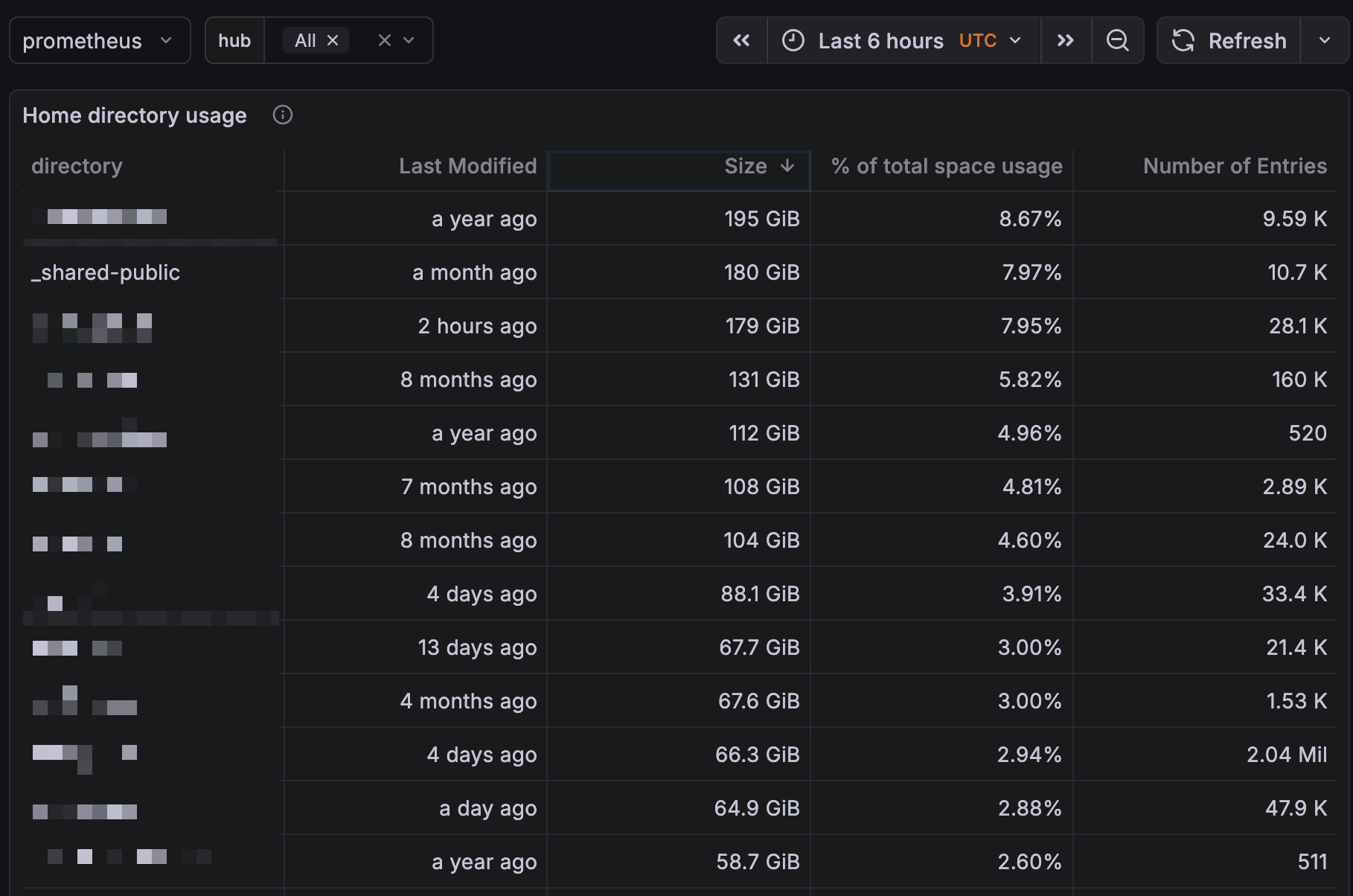
The Home Directory Usage Dashboard displays disk usage for user home directories.
Note that some entries will be for users while others will be shared by all users. Above, we’ve blurred out the users and included the hub-wide directory.
Resources
For more information about user storage quotas and filesystem structure, see the user documentation on filesystem and storage.